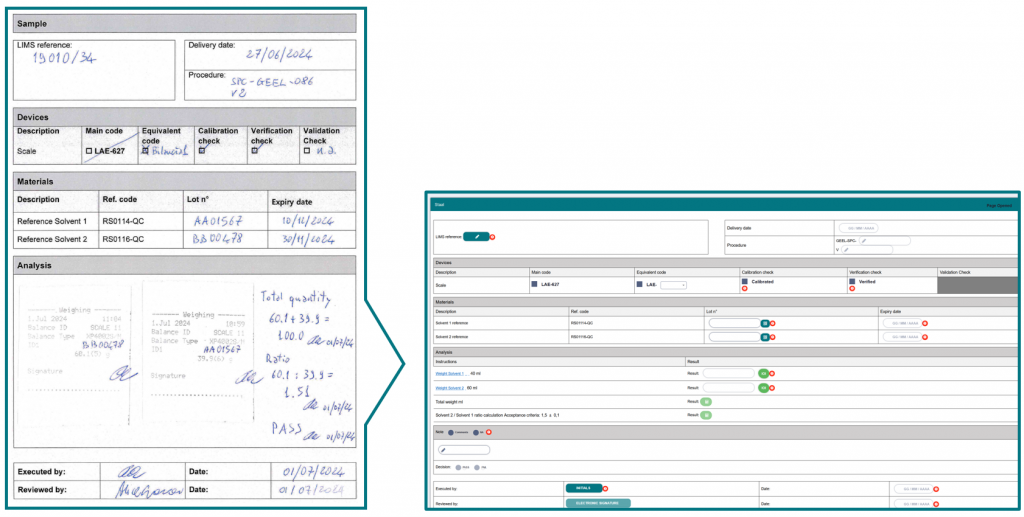
Start from your existing Microsoft® Word documents to obtain digital forms with the same layout as the original paper forms and logbooks.
This way you can go from paper to digital with minimal impact on staff.
No IT skills are needed to create new Word templates.
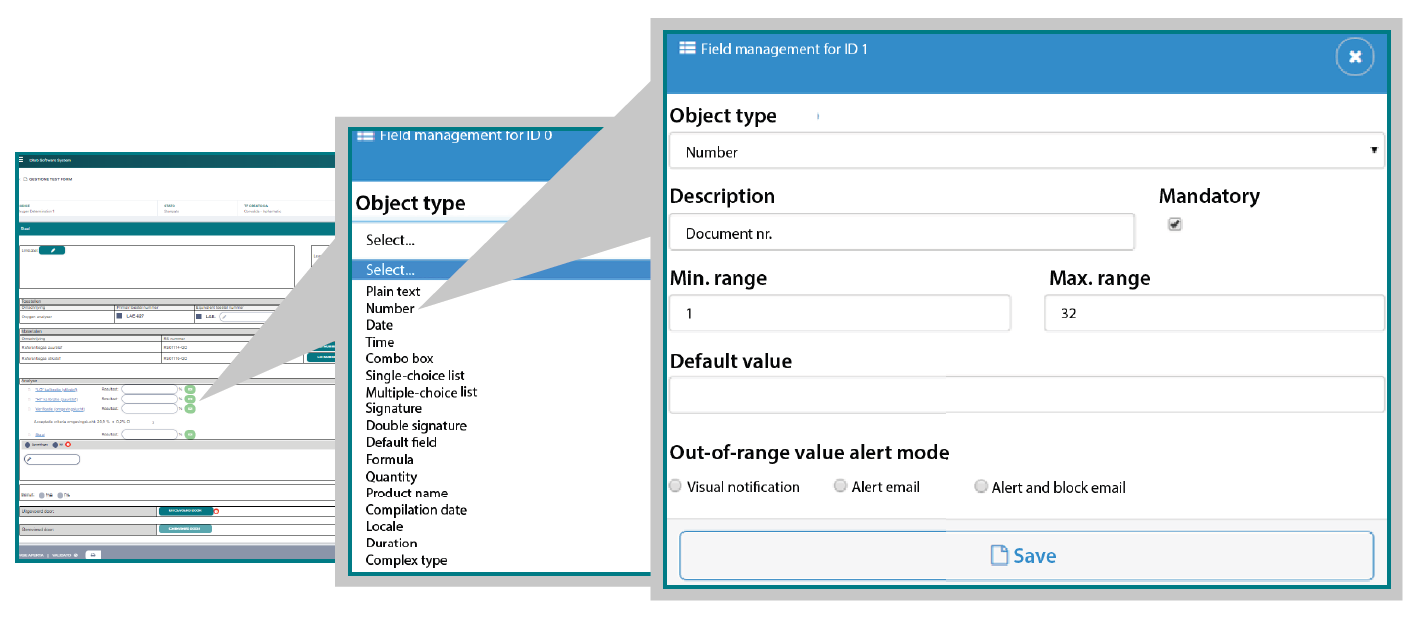
Configure the digital master form and logbook in few steps
The fields of the digital master form and logbook are configurable through an extensive library of objects.
Choose how to enter your data
Manual data entry
Automatic data entry: reading bar/QR-code, acquiring measurements from instruments or taking pictures
Data integration (and exchange) through web services as shown in figure
Scale your digitization project
Start using Diform immediately, configuring one form/logbook at a time. Add new objects to the library and validate them at any time. Minimise the possibility of error by automatic data entry and a familiar template. Limit the impact on current SOPs (max 10%).
With Diform you can
Fill-in digital fields
Collect data: batch/lot nr. of the components used as sample, standard, solution…
Prevent errors and omissions through real-time controls and automatic acquisition of data (reading bar/QR-code, acquiring measurements from the instruments).
Review & approve
The input data are: • complete, • in compliance with Data Integrity requirements, • and can be verified automatically.
Exception reports can be generated.
Report & control
Full set of reports: data, logbook, audit trail…
Interface with third party systems such as LIMS, ELN, EBR, MES…
Compliance to pharma GxP regulations
Full compliant Audit Trail. Electronic Signature (simple attributability or full 21CFR Part 11 compliance). Master Form lifecycle (revision based) and individual form lifecycle. Review by Exceptions.
Documentation
Download the Diform brochure to get all the information about Diform in one document.