Dibatch – Digital Batch is a web-based Electronic Batch Record for production departments.
What Dibatch does?
Dibatch provides instructions and collects records in electronic format.
How?
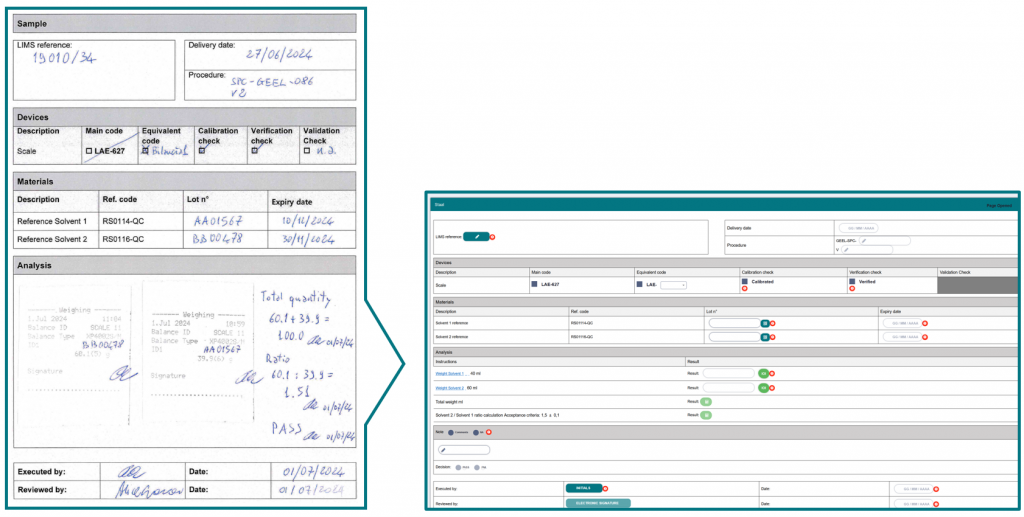
Microsoft® Word templates are imported
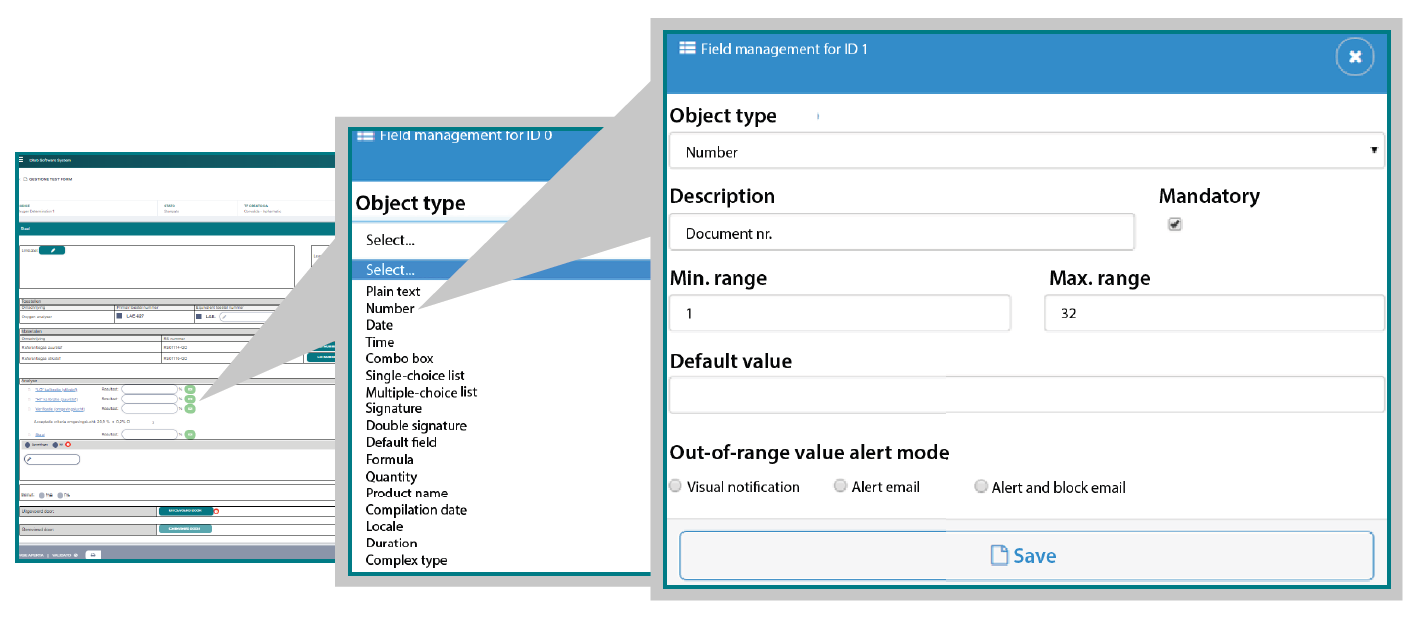
Embedded configurable objects enable auto-population of dynamic fields
How is it validated?
As a Software Category 4 (Gamp 5).
Dibatch key advantages
Import existing paper Batch Records
Start from your existing Microsoft® Word templates to obtain digital Batch Records with the same layout as the original paper ones.
This way you can go from paper to digital with minimal impact on staff.
No IT skills are needed to create new Word templates.
Configure the digital Master Batch Record in few steps
The digital Master Batch Record enables the configuration of dynamic fields using an extensive library of configurable objects (data, text, formula, signature, pictures…).
Choose how to enter your data
Manual data entry
Automatic data entry: reading bar/QR-code, acquiring measurements from instruments or taking pictures
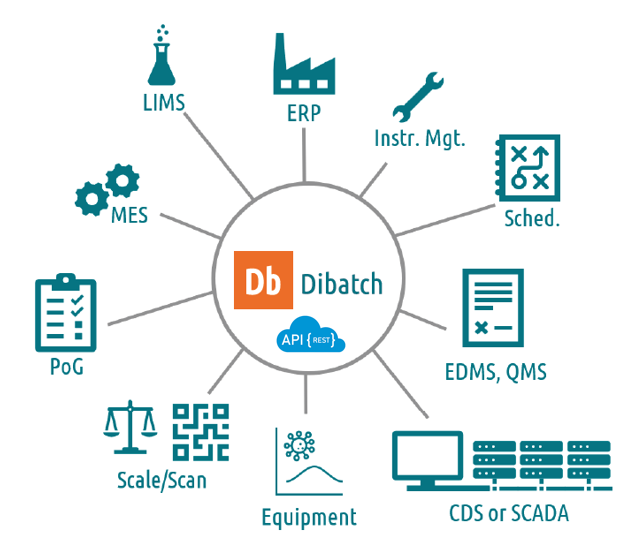
Data integration (and exchange) through web services as shown in figure
Scale your digitization project
Start using Dibatch immediately, configuring one Master Batch Record at a time. Add new objects to the library and validate them at any time. Minimise the possibility of error by automatic data entry and a familiar template. Limit the impact on current SOPs (max 10%).
With Dibatch you can
Fill-in digital fields
Collect data: batch/lot nr. of the components used as sample, standard, solution…
Prevent errors and omissions through real-time controls and automatic acquisition of data (reading bar/QR-code, acquiring measurements from the instruments).
Review & approve
The input data are: • complete, • in compliance with Data Integrity requirements, • and can be verified automatically.
Exception reports can be generated.
Report & control
Full set of reports: data, logbook, audit trail…
Interface with third party systems such as LIMS, ELN, EBR, MES…
Compliance to pharma GxP regulations
Full compliant Audit Trail (MBR configuration included). Electronic Signature (simple attributability or full 21CFR Part 11 compliance). MBR lifecycle (revision based) and individual BR lifecycle. Review by Exceptions.
Documentation
Download the Dibatch brochure to get all the information about Dibatch in one document.